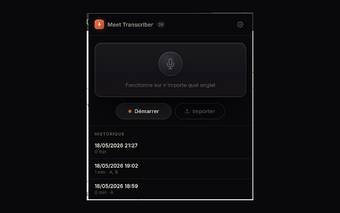
Meet Transcriber: Real-time Google Meet transcripts saved to Docs
Meet Transcriber, from Xertica, is a Chrome extension that captures Google Meet conversations for meeting records and collaborative editing. It captures Meet's captions and produces editable meeting text that integrates directly with document workflows. The extension targets professionals and multilingual teams who need immediate, correctable meeting records and a simple way to archive spoken dialogue for later review.
Starts transcription with Meet captions and a single click
The extension captures Google Meet's native caption stream after activating the closed-captions control, recording spoken dialogue inside the browser so a document can receive text as participants speak. Activation is manual, requiring the host or participant to enable captions before capture begins. This design keeps processing in-browser, which reduces setup steps but means transcription only begins when Meet captions are running.
Handles non-English meetings and supports live correction workflows
The extension includes language support for Spanish and Portuguese to address gaps where some Meet setups lack native transcription. It supports a human-in-the-loop editing model: a meeting editor can correct lines directly in the shared document while the call continues, preserving conversational context. That workflow favors teams that need editable, collaborative records rather than sealed, post-processed transcripts.
Fits Chrome-centric workflows and runs across desktop platforms
The tool is a lightweight Chrome add-on that runs on desktop Chrome, covering Windows, macOS, Linux, and ChromeOS, aligning with browser-based Google Workspace workflows. Captured text is stored in Drive-linked documents for sharing and archiving. Because it uses Meet's caption stream rather than an independent transcription engine, fidelity follows caption output, which is a trade-off for in-browser simplicity and low resource use.
A practical choice for collaborative, browser-based meeting documentation
Meet Transcriber suits teams that need editable, in-meeting notes and shared records inside Chrome and document workflows. Assigning an editor to clean the live document during calls improves final accuracy and keeps the record useful. Avoid using it where independently verified, certified transcripts are mandatory; choose it for operational note-taking and collaborative corrections instead of legal-grade transcription requirements.